
CamTalk
Video Diary · Dual-Cam · Narrate · One Take
CamTalk is a short-video creation tool — open it and start recording instantly. Auto-stamp the date and day count to build your video diary, narrate over any video with PIP commentary, record front and rear cameras simultaneously, annotate live, use the teleprompter, or narrate over a webpage or PDF. Everything in one take, no editing needed.
Core Features
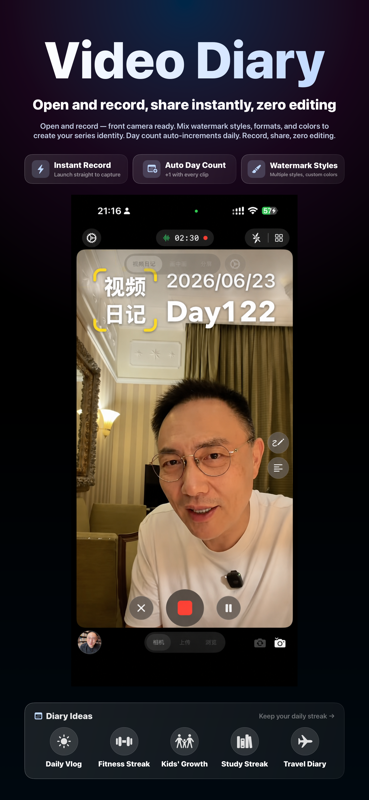
- Video Diary Mode: Open the app and go straight to recording — front camera ready in an instant. Date and "Day N" stamp applied automatically; every clip adds +1 to your streak
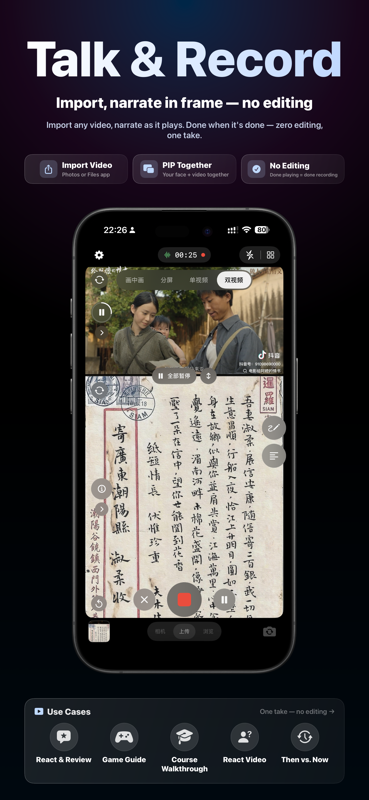
- Narrate Over Any Video: Import a video or image, record your commentary and reaction as it plays — when it ends, your final cut is ready with zero editing
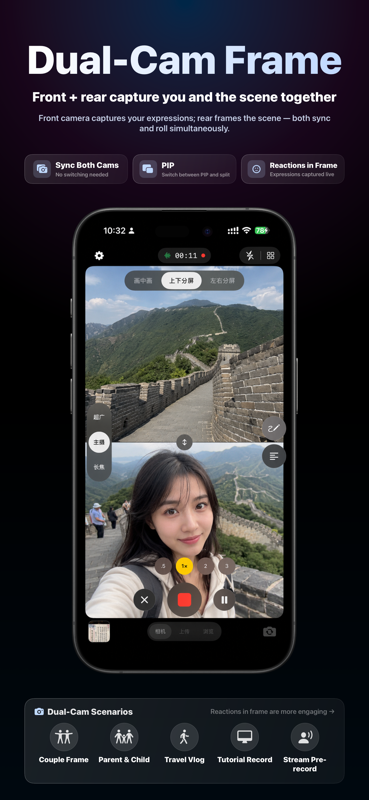
- Dual-Camera Recording: Front and rear cameras roll simultaneously via AVCaptureMultiCamSession with native OIS stabilization
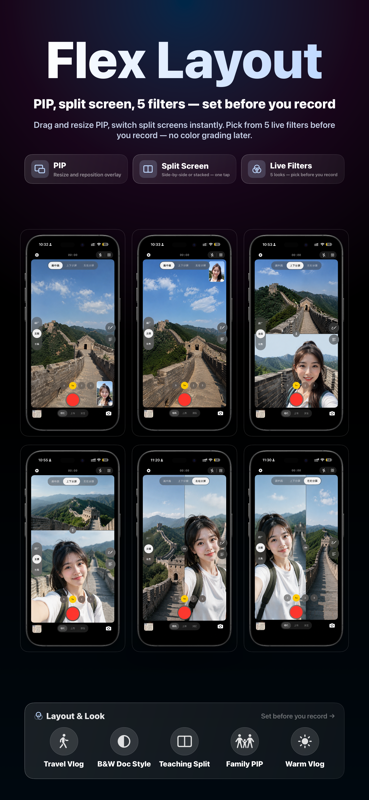
- Three Layout Modes: Picture-in-Picture, top/bottom split-screen, left/right split-screen — drag the divider to adjust proportions
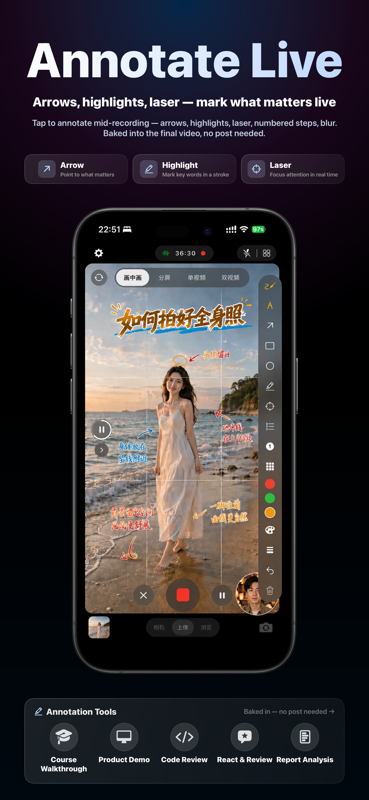
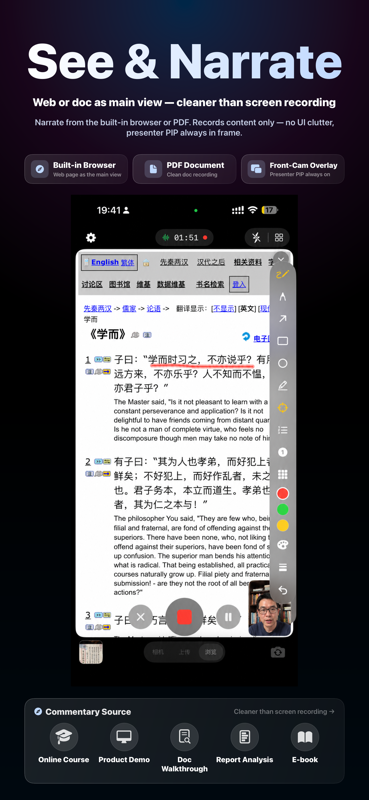
- Live Annotation Tools: Arrow, highlight, laser pointer, numbered markers, blur — drawn during recording and baked into the output; no post-production needed
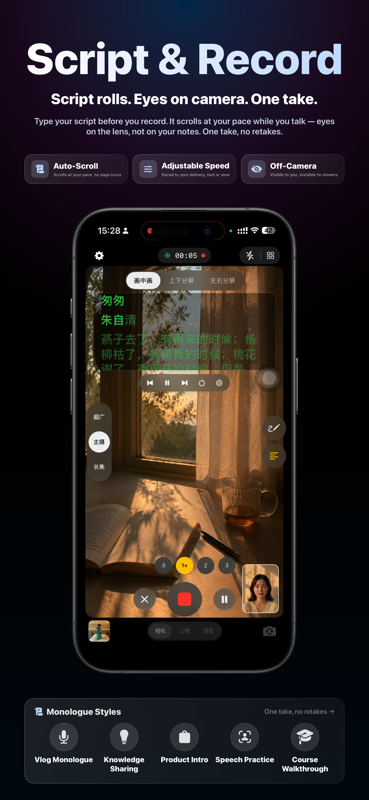
- Teleprompter: Type your script before recording; it auto-scrolls at your pace, stays off-screen, and never appears in the video
- Built-in Browser & Document Viewer: WKWebView off-screen rendering captures only the page content — no address bar, no system UI; supports PDF, Word, PPT and more
- Flexible Layouts & Live Filters: Resizable PIP overlay; 5 real-time filters (Original, Vivid, Warm, Cool, Mono) chosen before you hit record
- Dual-Video Comparison Mode: Two independent media slots for side-by-side comparisons, A/B tests, or before-and-after contrasts
- Three-Mode Microphone Processing: Smart / Natural / Voice Priority with automatic noise reduction and AEC
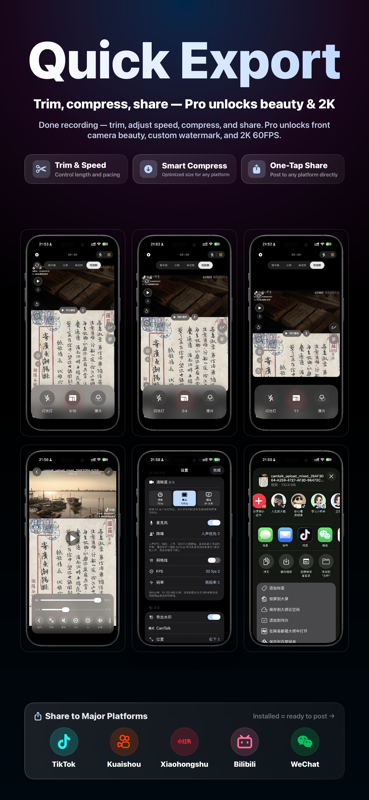
- Quick Post-Recording Editing: Trim, speed (1.5× / 2.0×), compress, mute, extract audio, export cover image
- Library Management: Drafts and exported works in one place — rename, delete, share, or save to Photos
- One-Tap Share: System share sheet lets you post directly to Douyin, Kuaishou, Xiaohongshu, Bilibili, WeChat and more
- Privacy First: All recordings stay on your device — nothing is uploaded to any server
Who Is It For?
- Daily Vloggers: Open and record — date and day count stamped automatically, building your streak one clip at a time
- Content Creators: Reaction videos, game commentary, reviews — finish recording, finish your video
- Knowledge Sharers: Online lectures, tutorials, PDF walkthroughs — narrate while you browse, far cleaner than screen recording
- Travel & Vlog Creators: Capture the scene and your reaction simultaneously with dual cameras
- On-Camera Speakers: Teleprompter keeps your eyes on the lens; nail it in one take without memorizing your script
- Students & Office Users: Walk through PDFs, web pages, or notes and share the video with classmates or colleagues
- Product & Course Sellers: Real-person narration paired with on-screen content, exported as a ready-to-publish video
Privacy Notice: CamTalk only records content you explicitly choose. All videos are stored locally on your device and never uploaded to any server. The browser recording captures only the in-app web canvas — system notifications and other apps are never included.
CamTalk Pro
🎨 Front-camera beauty filter
✏️ Custom watermark text
🚫 Watermark-free export
📹 Up to 2K + 60FPS
⏱ Unlimited recording length
🖊 Full annotation toolkit
🛠 Compress / Speed / Extract audio
The free tier covers core recording features (5-minute limit, watermarked export)
Pro subscription auto-renews; cancel anytime in iOS Settings → Apple ID → Subscriptions
System Requirements
- iOS 16.0 or later
- iPhone 12 or later recommended for dual-camera recording (requires AVCaptureMultiCamSession support)
- Internet connection not required for recording; future AI features (e.g. captions) will require connectivity
Frequently Asked Questions
Please grant camera permission to CamTalk. Go to iOS Settings → scroll down to CamTalk → enable Camera, then relaunch the app.
CamTalk uses AVCaptureMultiCamSession to record both cameras simultaneously. Make sure the layout is set to Picture-in-Picture or Split-Screen and that camera permission is granted. Devices older than iPhone 12 do not support dual-camera recording — the front PIP will appear blank on those models.
Check that the mute switch is off and that the media volume is turned up (use the volume panel in the recording view to adjust "Source Volume"). If the issue persists, try re-importing the video or restarting the app.
Recordings are saved as drafts in the in-app library. From the preview screen, tap "Save to Photos" to export to your camera roll, or use the system share sheet to send to another app. All files stay on your device — nothing is uploaded.
No. CamTalk uses WKWebView off-screen rendering, so only the web page canvas is composited into the video. The address bar, system notifications, and Control Center never appear in the final video — cleaner than any iOS screen recorder.
No. The teleprompter overlay is shown only to you during recording and is completely isolated from the video compositing layer. It will not appear in the preview, exported video, or shared file.
Free up space by deleting unused apps or files, then retry. You can also lower the export quality (e.g. choose HD 1080p instead of 2K) to reduce file size.
Check three things: ① microphone permission is granted to CamTalk; ② the microphone indicator icon next to the recording dot is active; ③ a connected headset with its own mic is not overriding the built-in mic. Re-grant microphone permission and record again.
Go to iOS Settings → tap your Apple ID at the top → Subscriptions → CamTalk → Cancel Subscription. Your Pro benefits remain active until the end of the current billing period.
Email us at service@rtool.cn — we reply on business days. You can also leave a review on the App Store; we read every one.