Acamera
AI Photography Coach · Smart Filters · Voice Commands
A camera app built around real-time AI photography guidance. Tap-to-focus, exposure control, pinch-to-zoom, and front/rear switching — plus AI analysis that gives you composition, posture, and lighting suggestions with automatic camera adjustments. Just say what you need.
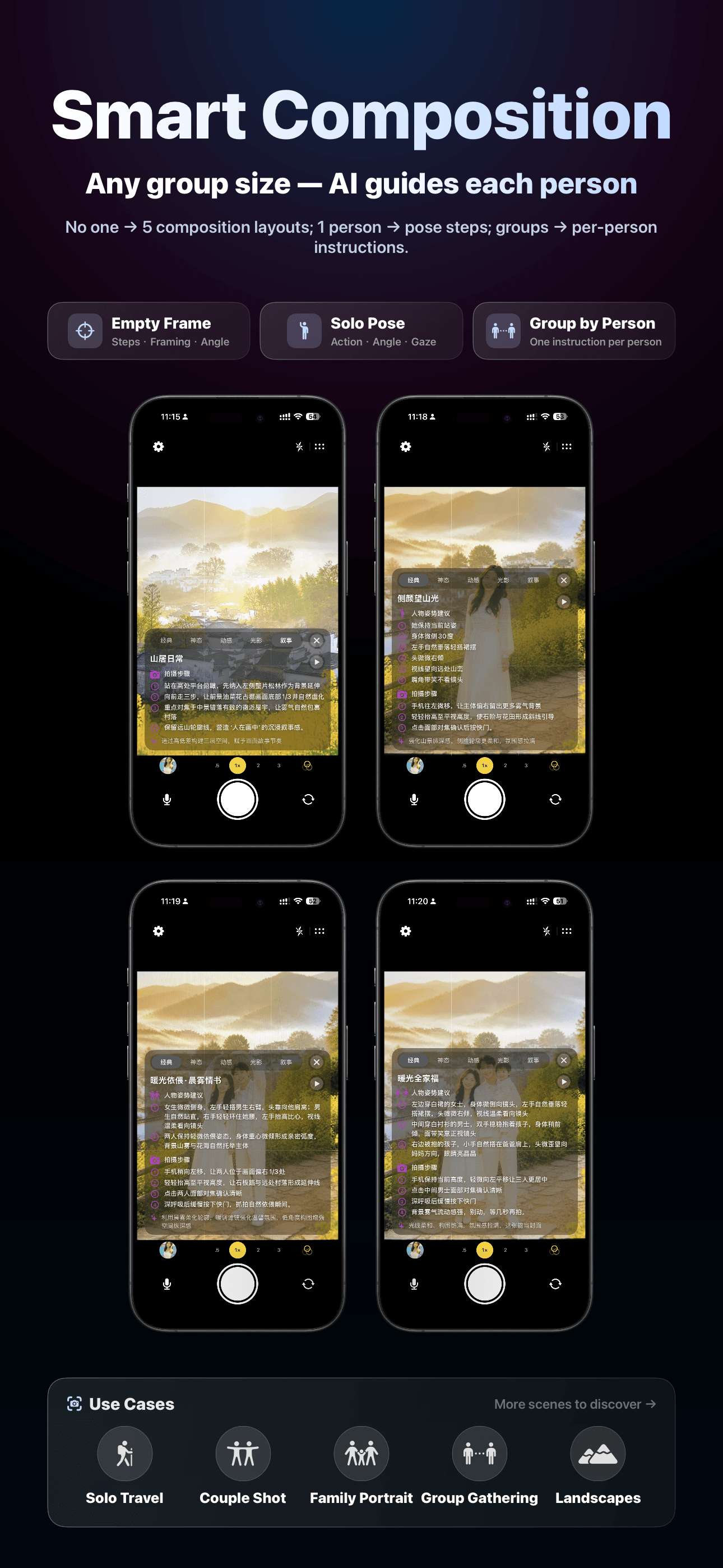
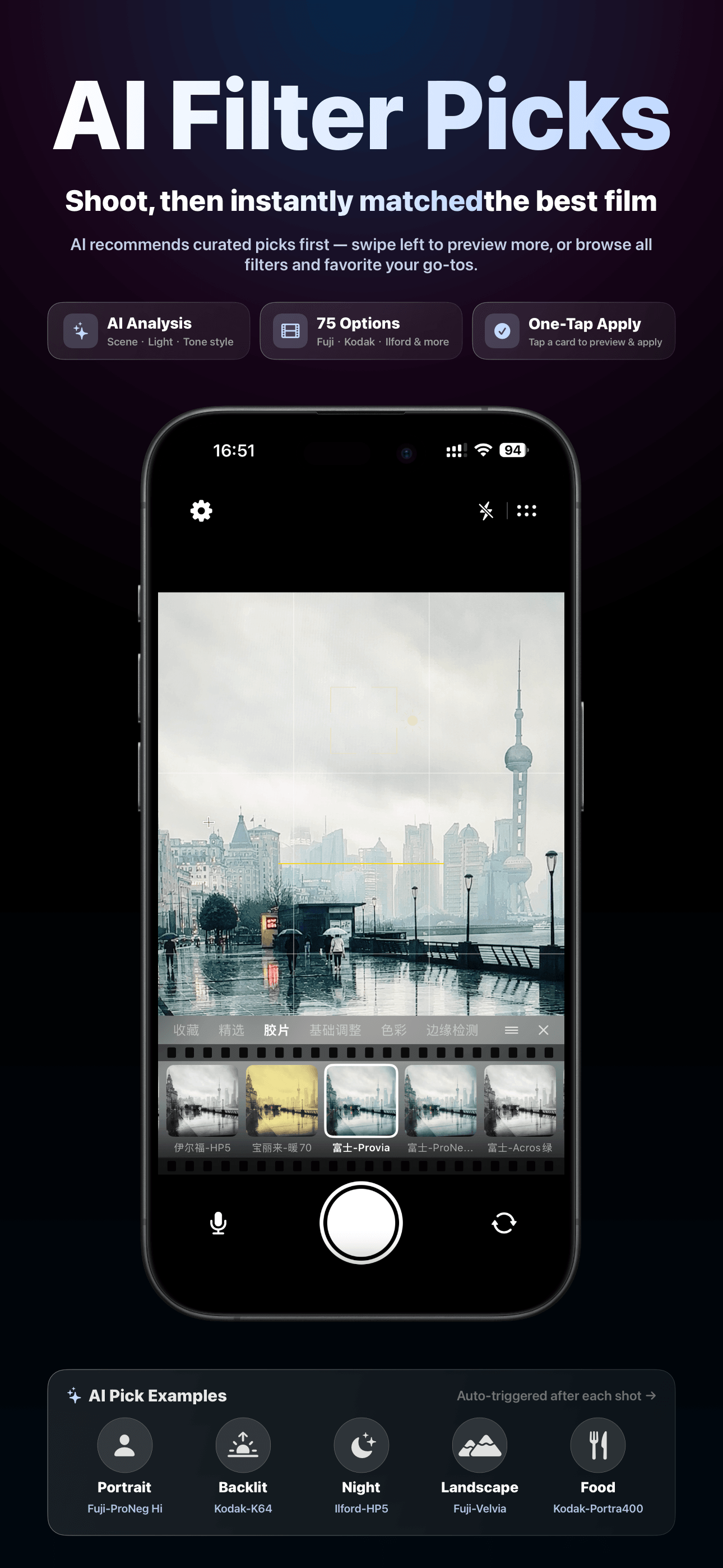
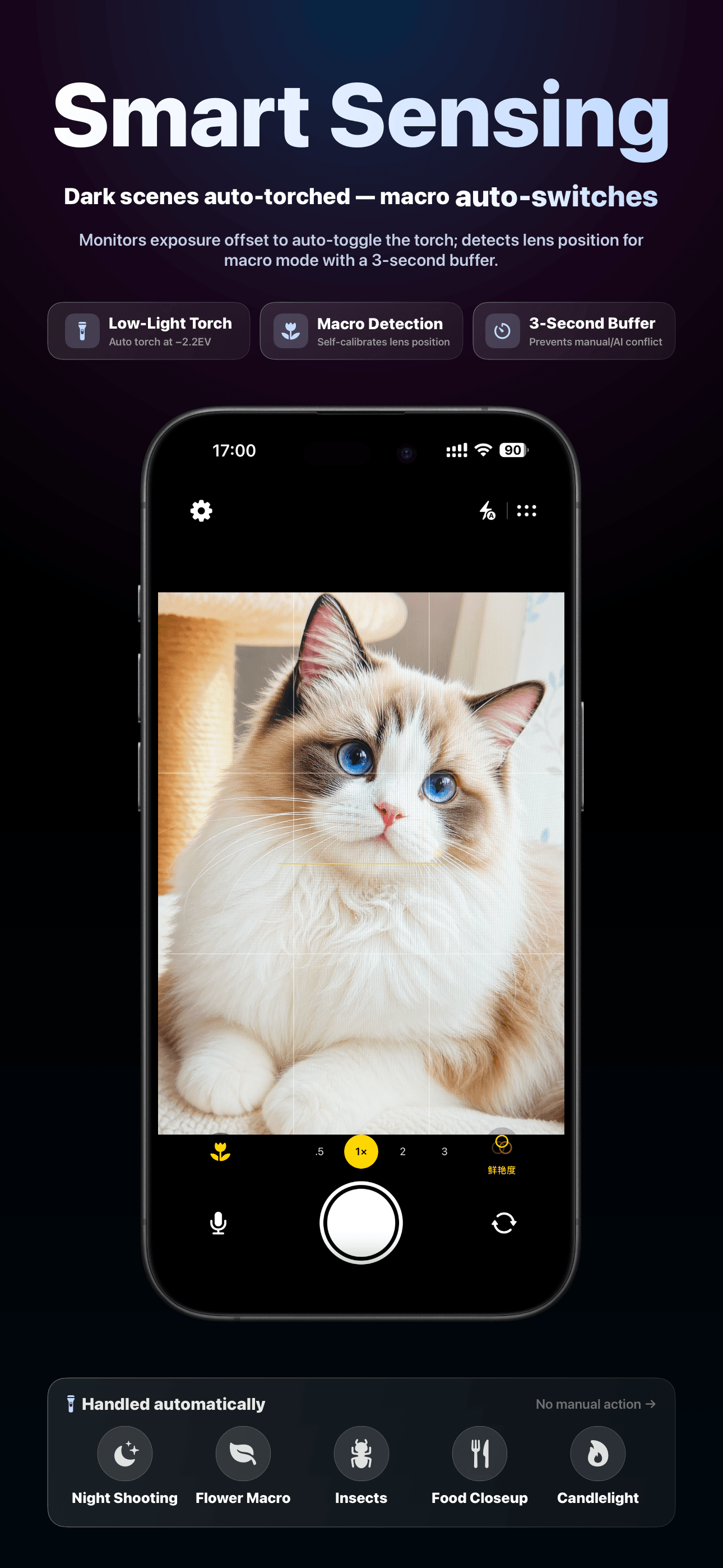
Core Features
- Professional Camera UI: Rule-of-thirds grid + level indicator for perfect composition
- Precise Focus & Exposure: Tap to focus/meter, brightness slider, one-tap reset
- Pinch to Zoom: Smooth zoom with automatic macro mode switching
- Front/Rear Camera: Quick switch, with automatic mirror flip on front camera
- Flash & Torch: On/Off/Auto flash, automatic torch in very dark environments
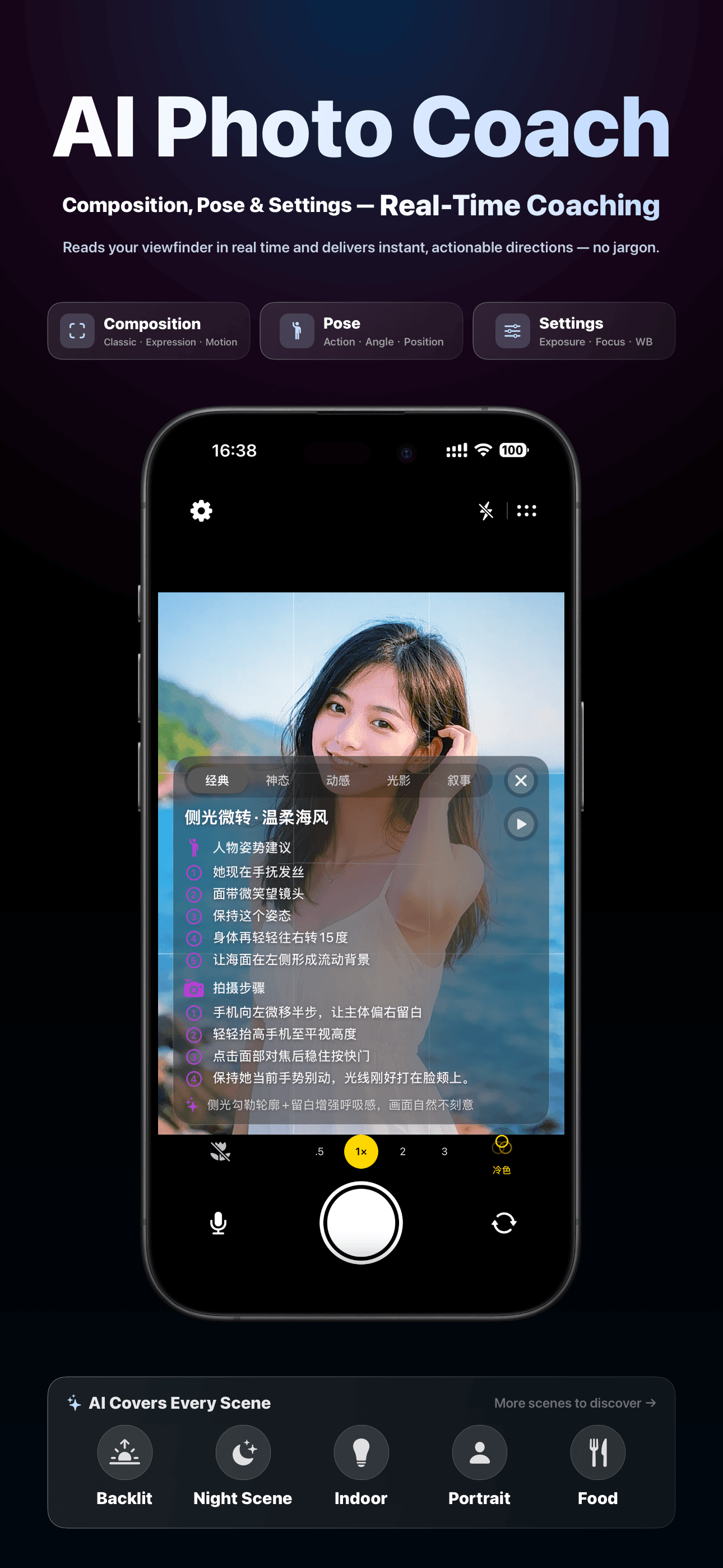
- AI Photography Analysis: Real-time scene analysis with actionable composition, posture, and lighting suggestions plus automatic camera adjustments
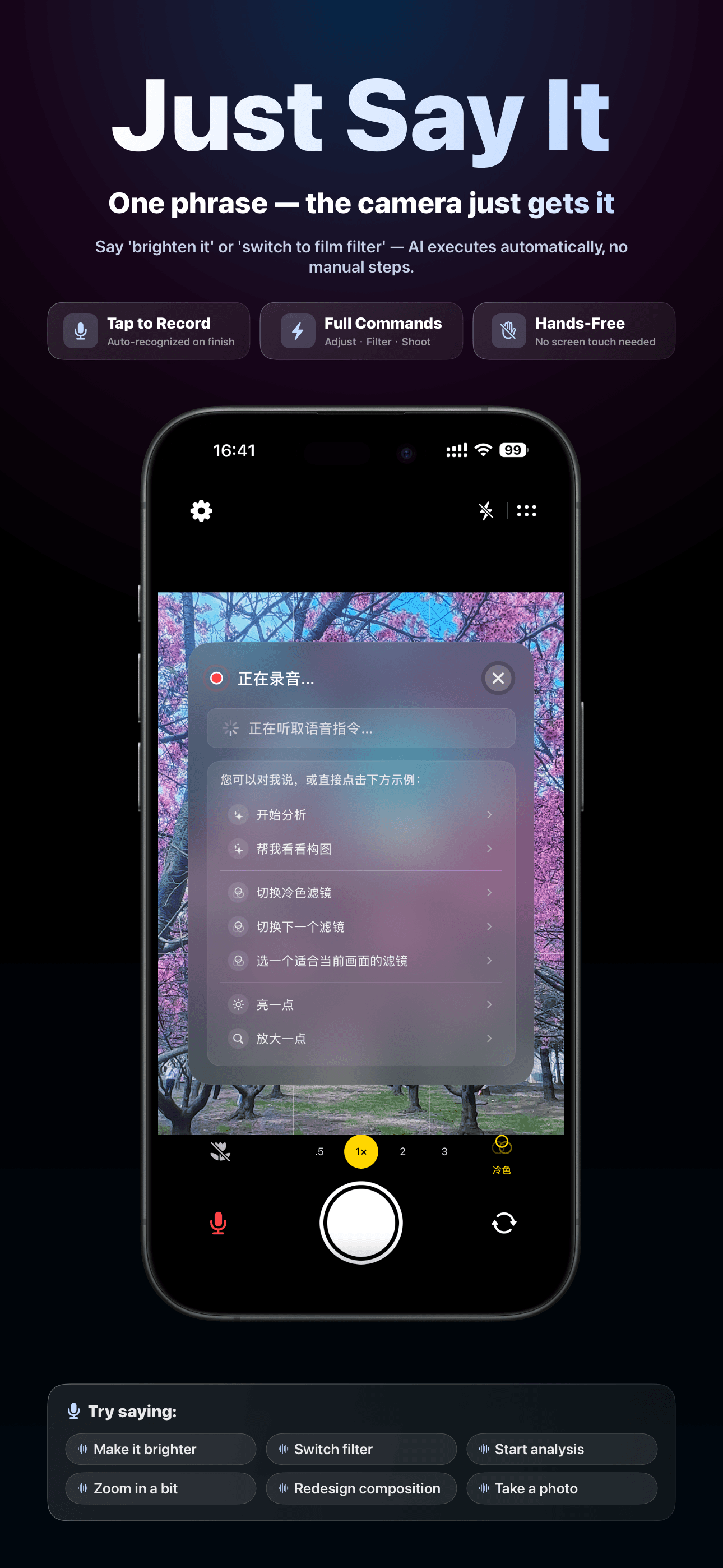
- Voice Commands (optional): Voice recording + real-time recognition for AI command parsing and parameter suggestions
- Auto VAD: Voice input ends automatically via voice activity detection
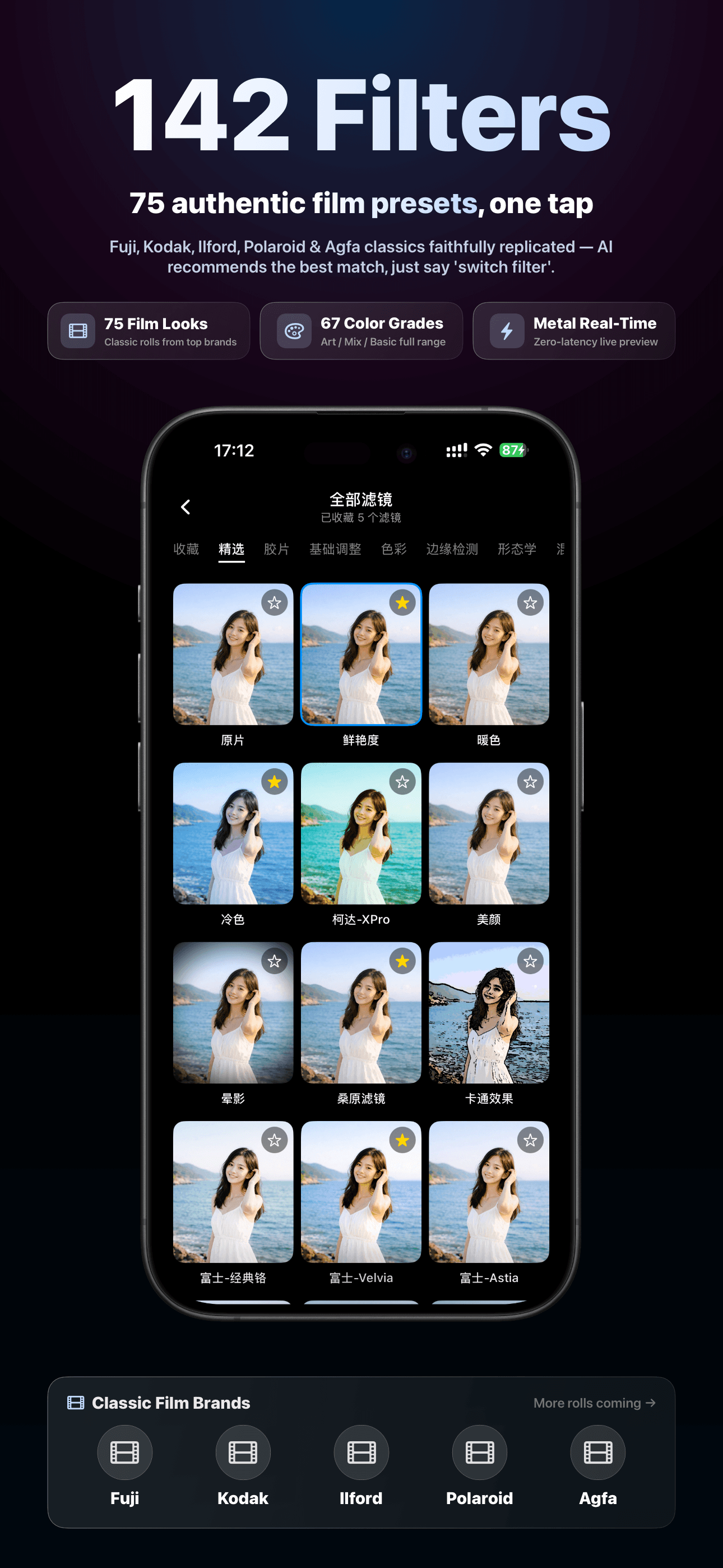
- Filter & Style Linking: Filter/style recommendations based on scene and command, with fine-tuning support
- Multiple AI Models: Qwen3-VL Flash (fast) or Qwen3-VL Plus (high quality)
- Voice or Text Guidance: Hear suggestions read aloud, or keep it text-only
- Quick Photo Management: Bottom drawer shows recent shots; tap for full-screen preview and quick delete
- Flexible Delete: Remove from in-app storage only, or sync-delete from system photo library
- Sign in with Apple: Secure authentication with usage stats and subscription management
- Subscription Tiers: Basic / Premium / Elite for different usage levels
- Multilingual: Chinese / English, follows system language preference
- Auto Update Check: Detects the latest App Store version and prompts you to update
Who Is It For?
- Everyday Shooters: Want sharper, more attractive shots with clear composition and lighting guidance
- Portrait & Street Photographers: Need flash and focus guidance in indoor low-light or complex scenes
- Photography Beginners: Want fewer settings to touch and more great photos — AI makes the decisions
- Social Media Users: Quickly generate high-quality photos for Instagram, Moments, and more
- Content Creators: Need an efficient shooting workflow; AI guidance lifts the quality of every shot
Privacy Note: Basic shooting and photo management happen entirely on-device. When you start an AI analysis, a compressed image is sent to our servers via HTTPS and the result is returned. When you use voice commands, audio is transcribed locally — the audio file is never uploaded; the transcribed text may be sent with the AI analysis request. See the Privacy Policy for details.
Version 2.0 Release Notes
- Optimized camera viewfinder layout for a better shooting experience
- Upgraded default AI vision model for improved analysis quality
- Bug fixes and stability improvements
Subscription Plans (see App Store for current pricing)
- Basic: 50 AI coaching sessions per month
- Premium: 100 AI coaching sessions per month (recommended)
- Elite: 300 AI coaching sessions per month
Subscriptions auto-renew. Cancel anytime in iOS Settings → Apple ID → Subscriptions. Payment is charged to your Apple ID on confirmation. Any unused free trial is forfeited when you subscribe.
To cancel: Settings → Apple ID → Subscriptions → Acamera.
System Requirements
- iOS 17.6 or later
- iPhone 13 or later recommended for the best experience
- Internet connection required for AI analysis
Frequently Asked Questions
Check that camera permission has been granted to Acamera. Go to iOS Settings → scroll to Acamera → enable Camera, then reopen the app.
1. Open the app and go to the camera screen. 2. Tap the microphone button at the bottom-left — the first time it will ask for microphone and speech recognition permissions. 3. First use may prompt you to sign in to access AI coaching; tap to go to Settings. 4. Under Account, choose "Sign in with Apple." 5. Return to the camera and point at any scene to experience live AI guidance.
Check that Microphone and Speech Recognition permissions are granted in iOS Settings. Revoking these only disables voice commands — basic shooting still works.
Depending on the scene, AI may automatically adjust exposure compensation, focus strategy, zoom, HDR, and torch. Some actions (tap-to-focus, brightness slider, pinch-to-zoom, steadying the phone) will be prompted as on-screen instructions for you to perform.
Check the mute switch and volume level. Check for connected Bluetooth headphones or CarPlay. During voice recording, the app may temporarily switch the audio session. Try listening after recording ends, or switch to text-only guidance in Settings.
Flash is faster — great for quick captures. Plus delivers higher quality analysis — ideal for important scenes or detailed guidance. Switch models in Settings.
Check that Photo Library (Add Only) permission is granted. If you also want sync-delete to work, grant Read & Write photo permission.
"Remove from app only" deletes the in-app copy; the system album copy is kept. "Sync delete from album" also removes the photo from the system album (requires Read & Write permission) — this cannot be undone.
Your Apple sign-in token may have expired. Sign in again on the Settings page, then retry AI analysis or usage stats.
Go to Settings → AI Guidance Mode → choose "Voice" or "Text Only."
Email us at service@rtool.cn — we reply on business days. You can also leave a review on the App Store.